How to Teach Solving Equations in a Fun Way: a Free Algebra 1 Activity
Want the free Solving Equations activity? Click here
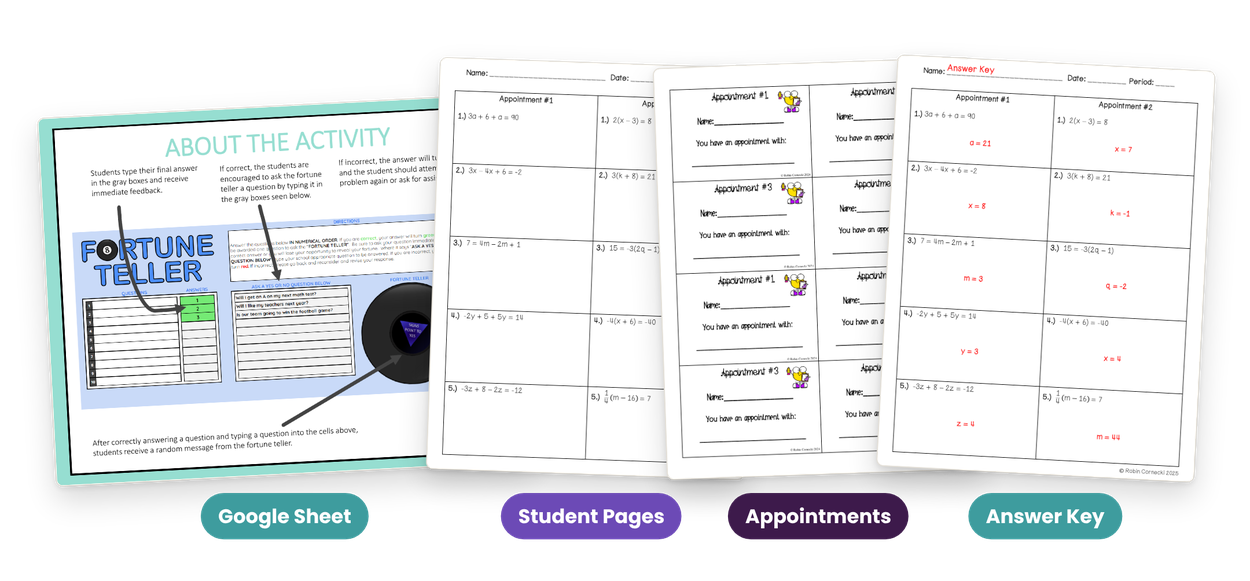
If you are looking for how to teach solving equations so that students actually want to do them, here is the activity I use in my own Algebra 1 classes, and it is free: a self-checking Fortune Teller activity for Google Sheets with 20 multi-step equations, appointment cards for partner work and an answer key.
Below is how I teach the steps and how I run the activity. Type your email on the sign-up page and the PDF is yours right away.
How to teach solving equations: the same order every time
A multi-step equation is a one-step equation with some clean-up first. Students who follow the same order every time stop guessing which move comes next: distribute, combine like terms on each side, undo the adding or subtracting, then undo the multiplying or dividing. Then check the answer in the original equation.
Here is one: 5(x - 2) + 3x = 22. Distribute to get 5x - 10 + 3x = 22. Combine like terms: 8x - 10 = 22. Add 10 to both sides: 8x = 32. Divide by 8: x = 4. Check: 5(4 - 2) + 3(4) = 10 + 12 = 22.
The lesson at a glance
- Grade: Algebra 1
- Standard: Common Core HSA-REI.B.3: solve linear equations and inequalities in one variable, including equations with coefficients represented by letters
- Standard: Common Core 8.EE.C.7b: solve linear equations with rational number coefficients, including equations whose solutions require expanding expressions using the distributive property and collecting like terms
- Standard: Pennsylvania Keystone A1.1.2.1.1: write, solve, and/or apply a linear equation (including problem situations)
- You need: a Google account for you and your students, the student pages and appointment cards, the answer key
- Students will be able to: solve multi-step linear equations with like terms, the distributive property, fractions and decimals
Get the free activity and answer key
Before you teach
The Fortune Teller lives in a Google Sheet. The directions page in the free PDF has the link: click it, choose Make a Copy, and save the copy to your Google Drive so you can find it later.
- Print the two pages of appointments for each student, and the appointment cards if you use partners.
- Neither you nor your students need to know Google Sheets first.
- Give each student their own copy of the Sheet, so nobody edits your original.
Assign the Fortune Teller: one copy for each student
In Google Classroom it takes a minute. No Google Classroom works too: use the Sheet's Send button to email it, or copy its link and share it somewhere your students sign in, like their school email.
- In Google Classroom, click Classwork, then Create, then Assignment.
- Name it Solving Equations, add instructions if you want, and set a due date.
- Click Add, choose Google Drive, and pick your copy of the Sheet.
- In the dropdown, choose Make a copy for each student.
- Click Assign.
The solving multi-step equations activity: four appointments, 20 equations
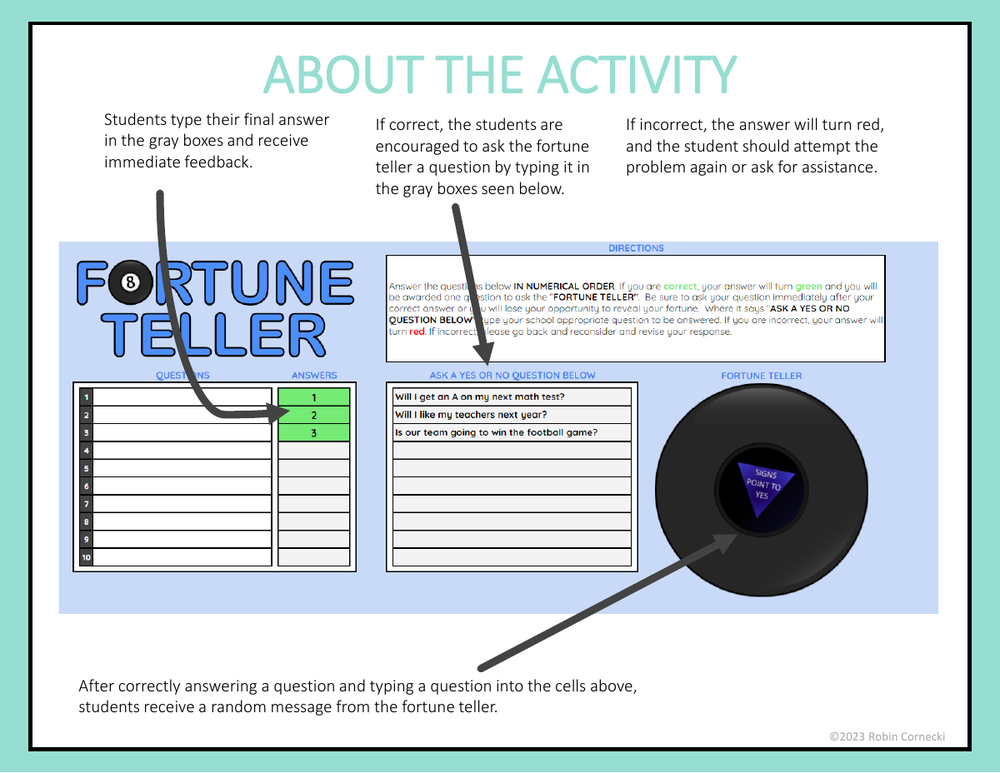
The student pages hold four appointments of five equations each, and each appointment practices one skill: Appointment 1 combines like terms, Appointment 2 uses the distributive property, Appointment 3 puts the two together (with a minus sign in front of the parentheses), and Appointment 4 has fractions and decimals.
The appointment cards turn it into partner work: each student writes a classmate's name on each appointment, and partners meet to work that appointment's five equations.
The Fortune Teller: how the solving equations activity checks itself
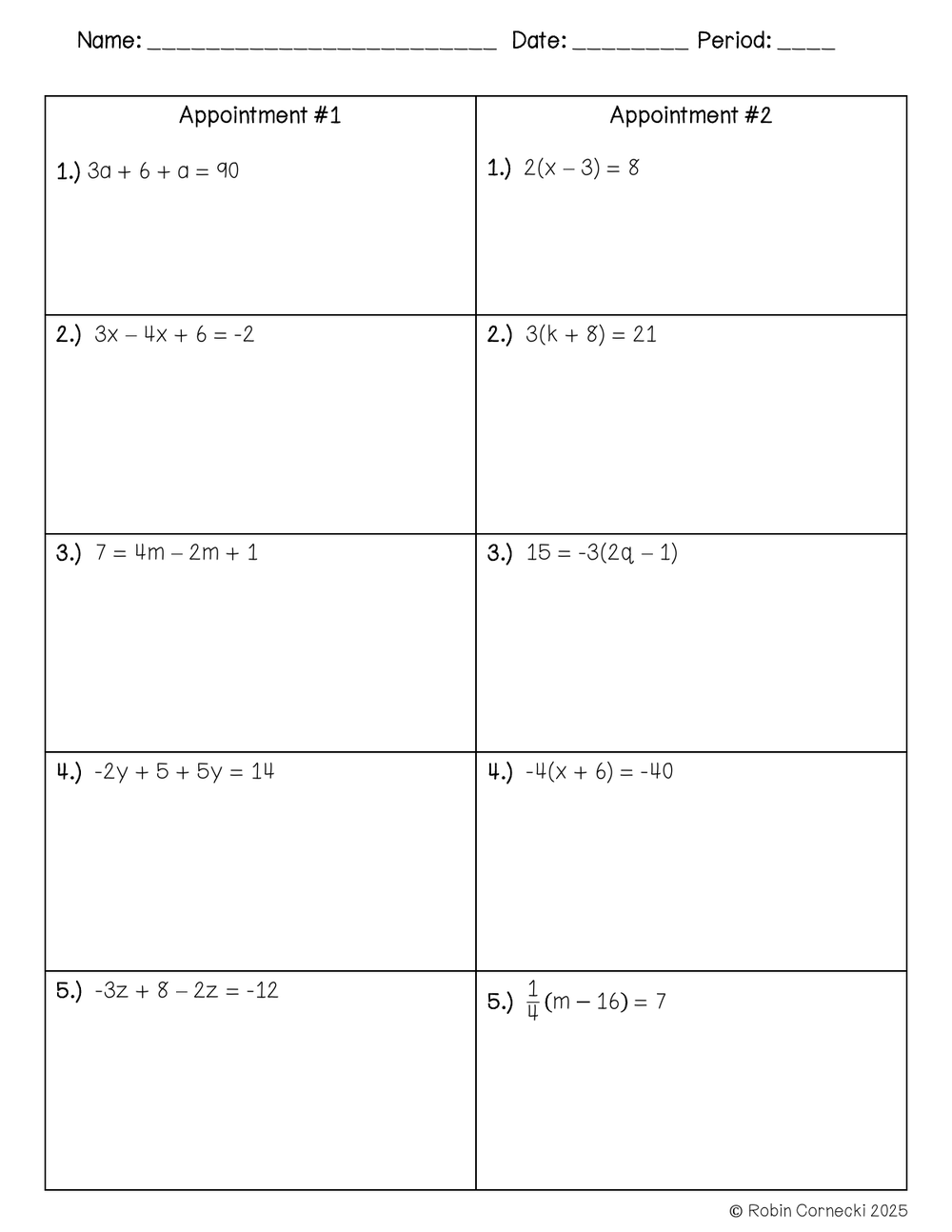
Students solve on the worksheet, scratch paper or a whiteboard and type the final answer into the gray box. A correct answer turns green, and the student gets to ask the fortune teller a yes or no question and read its random answer. A wrong answer turns red, so the student tries again or asks you for help. That silly question after every correct answer is what keeps them going.
- Solve the questions in order on the worksheet, scratch paper or a whiteboard.
- Type the final answer into its gray box.
- A correct answer turns green: ask the fortune teller a yes or no question.
- A wrong answer turns red: try it again, or ask for help.
Check the work with the answer key
The answer key has every answer for all four appointments, for checking the paper work.
Here is the free Solving Equations activity
Type your name and email on the sign-up page. The PDF downloads on the next page, and a copy comes to your inbox.
- About the activity, the teacher page and the directions, with the link to the Google Sheet
- Four appointments with 20 multi-step equations
- Appointment cards and appointment sheets
- The answer key
More Algebra I in my membership: 6 units built on the Keystone anchors
- Real Numbers and Expressions
- Linear Equations
- Linear Inequalities
- Functions
- Coordinate Geometry
- Data Analysis
- Plus an end-of-year review
Questions teachers ask about solving equations
How do you teach solving equations in a fun way?
Give every correct answer a small reward. In this activity it is a question for the fortune teller, and the appointment cards get students up and working with four different partners.
How do you teach solving linear equations?
Teach one order and use it every time: distribute, combine like terms, undo adding or subtracting, undo multiplying or dividing, then check the answer in the original equation.
Do my students need to know Google Sheets?
No. Neither you nor your students need to know Google Sheets. Just give each student their own copy so nobody edits your original.
Want every Algebra I activity right now?
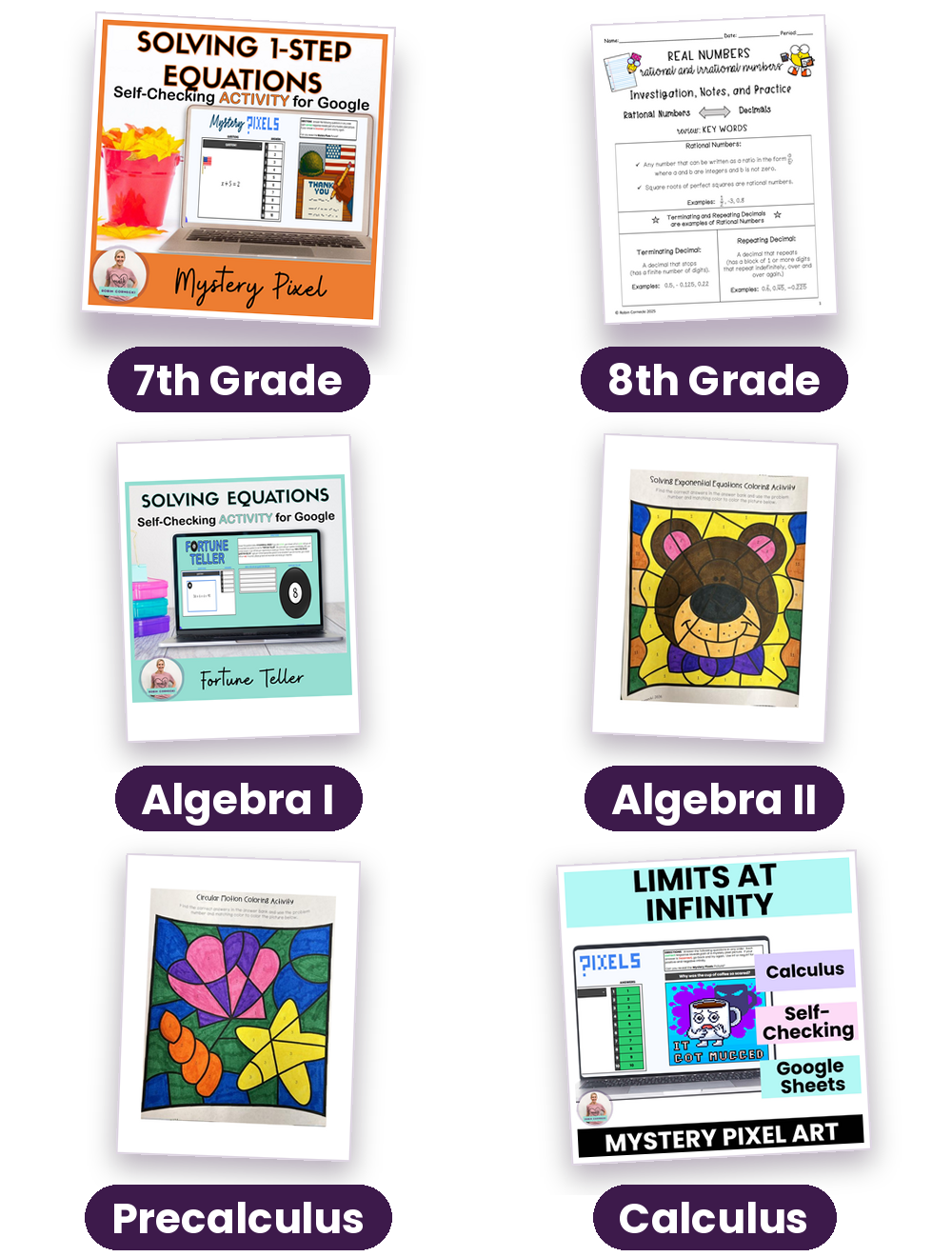
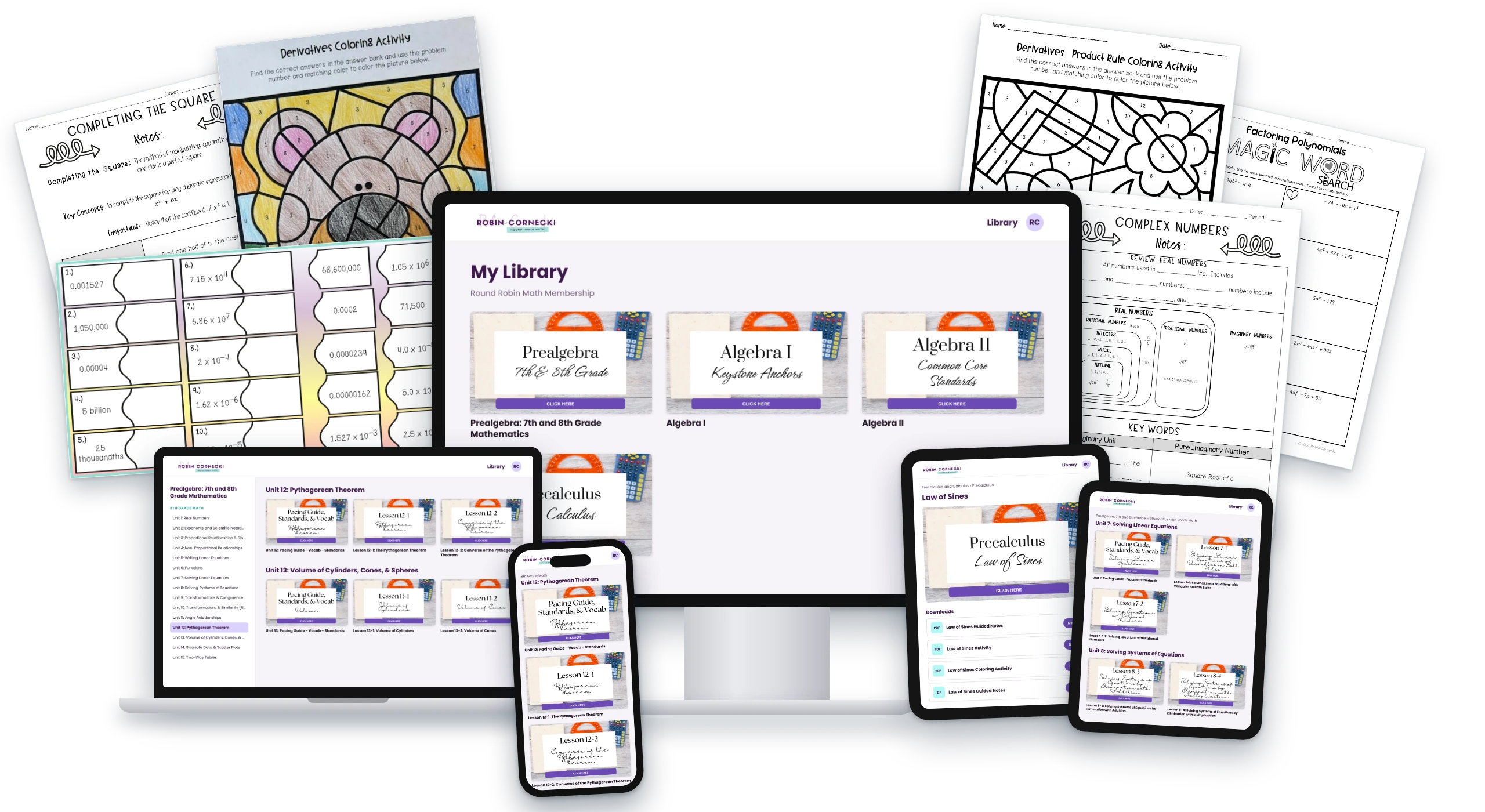
The membership has every course from 7th grade to Calculus: notes, activities, review games and tests, with answer keys. New lessons keep coming.
Get the free Solving Equations activity
The self-checking Fortune Teller, 20 multi-step equations, the appointment cards and the answer key, in one PDF. Type your email and it is yours.
Pin this for later
Want more engaging resources like this one?
Notes, activities, review games and tests from 7th grade to Calculus, with answer keys. New lessons keep coming.